Construction progress videos: what to film at every phase of the build
Construction & Development·10 min read
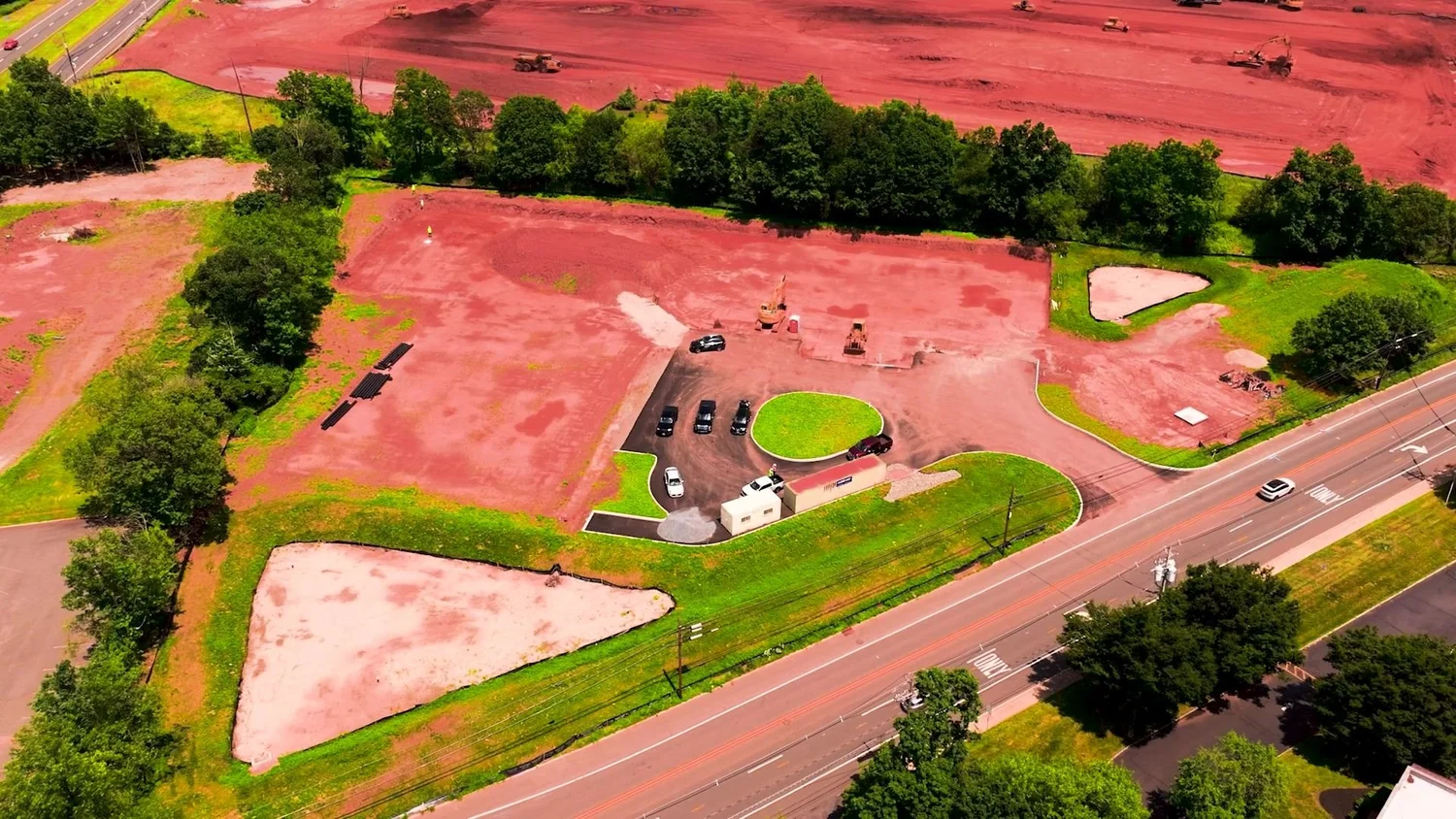
Every job you build disappears twice: once behind drywall, and again when the fence comes down and nobody remembers the hole in the ground. A construction progress video is how you keep the proof. Here’s the phase-by-phase shot plan we use, from site clearing to ribbon-cutting, plus what each piece of footage earns you long after close-out.
What a construction progress video is actually for
Most contractors treat progress footage as a nice-to-have. I treat it as raw material. One shoot day, cut the right way, does five different jobs:
- Owner updates: a short monthly cut lets an owner or investor watch the building rise without a site visit or a PDF full of thumbnails.
- Bids: finished recaps drop into proposals and shortlist interviews as proof you’ve built this kind of thing before.
- Recruiting: real crews doing real work beat any stock photo on a job board.
- Social: pours, crane picks and drone passes become vertical clips that keep your name in front of owners, architects and GCs between jobs.
- Documentation: dated footage of what was built, where and when.
That last one gets ignored until it doesn’t. In North America, construction disputes in 2024 averaged $60.1 million and 12.5 months (Arcadis, 2025). The same report names “errors and/or omissions in the contract documents” as the number one cause and stresses “clear and comprehensive documentation.”
Video won’t fix a bad set of drawings. It can give your team a dated visual record of every phase, including the work that gets buried. This isn’t legal advice; ask your attorney how footage fits your project records.
Phase by phase: site clearing to the first pours
Here’s the shot plan: what to film at each phase, and where the footage ends up. Hand it to your super and you’ve got a jobsite video plan on one page.
Pre-construction and site clearing
Film the site before anyone touches it, then again once it’s cleared. Wide drone passes from each corner, a slow push along the road frontage, the project sign going up. This is your “before” shot, and you only get one. Use it for: the open of your recap, investor updates and the before-and-after every owner loves.
Groundbreaking
The ceremonial shovels are fine. The real shot is the first bucket of dirt leaving the ground. Get both. Grab a few words on camera from the owner or developer while the excitement is real, plus a drone shot of the crowd with the site behind it. Use it for: owner relations, local press, social.
Excavation and foundations
This is where the scale lives: excavators working, surveyors setting lines, rebar, formwork, waterproofing. Film at ground level for texture and from the air for geometry. Once it’s backfilled, nobody sees it again. Use it for: bids that call for heavy sitework, a record of below-grade conditions, recruiting.
Pours
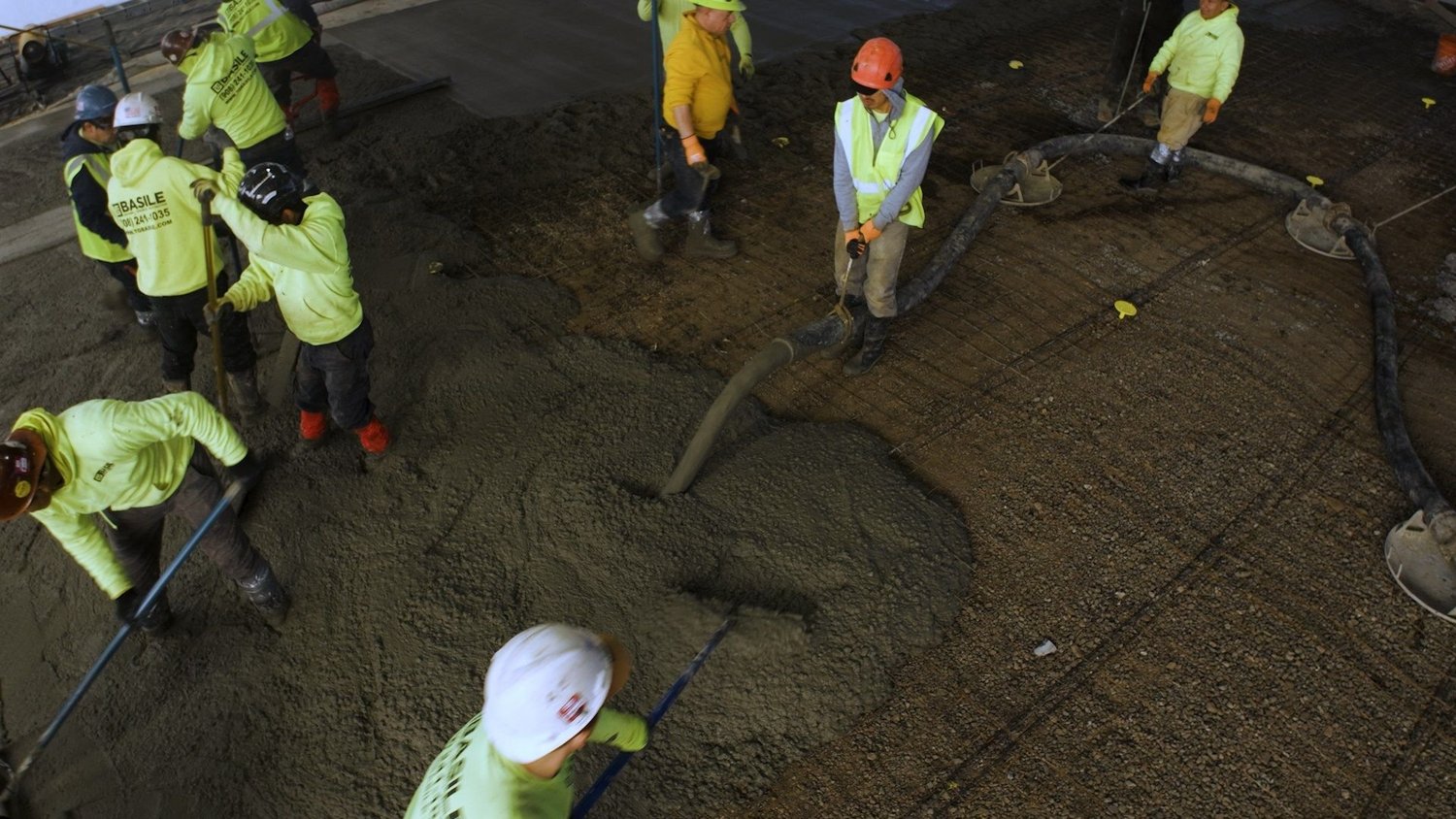
Pour days are killer footage and the easiest days to miss, because they move with the weather and the trucks. Film the trucks staging, the pump boom unfolding, the crew placing and raking, the finishers, and one overhead that shows the whole choreography in a single frame. Use it for: social, recruiting and bid proof for concrete and structural scopes.
Phase by phase: structure to ribbon-cutting
Structure
Steel, block, framing: the building finally goes up. Fly the same drone positions every visit so it climbs in the edit. Get the crane picks, the connectors, the moment the height gets real. If there’s a topping-out, treat it like a second groundbreaking. Use it for: owner updates, timelapse sequences, recruiting.
Envelope
Windows, cladding, masonry, roofing. This is where the building gets its face, so film it in low, raking light early or late in the day, when texture shows. Use it for: architect and owner relations, bid proof for envelope and restoration work.
MEP and interiors
Everything in this phase disappears behind drywall and ceiling tile. Film the rough-in before it’s covered: conduit runs, ductwork, sprinkler mains, the coordination nobody gets credit for. Use it for: documentation, trade partner relationships, recruiting skilled trades.
Punch list
Not glamorous, but it shows how you finish. Film the team walking the space, the last details going in, the owner seeing it done. A punch walk is a working meeting, so ask before you roll. Use it for: close-out records, and teeing up the testimonial ask.
Ribbon-cutting
The payoff. A drone reveal of the finished building, the ceremony, the owner, and the crew that built it standing in front of it. Do interviews on the day, while the pride is still fresh. Use it for: the final recap, testimonials, your website and every related bid you write after.
The ribbon-cutting shot is the payoff. The dirt is what makes it mean something.
How often to film: a monthly rhythm plus milestones
My recommendation: a standing monthly shoot on every active site, plus extra days for moments you can’t restage, like groundbreaking, big pours, topping out and the ribbon-cutting. The monthly visit keeps the timeline continuous. The milestone days catch the moments.
Between shoots, your side of the job is small, but it matters:
- Send the look-ahead schedule so we can plan around pours, picks and inspections.
- Flag date changes the moment they happen. Concrete doesn’t wait for a camera.
- Name one site contact who can walk us in and tell us what’s off-limits.
- Tell us who on the crew is happy to be on camera, and who isn’t.
Those recruitment shorts earn their spot:
Filming an active jobsite without slowing anyone down
A camera on a jobsite is one more hazard if the person holding it doesn’t know how a site works. I’m OSHA-30 certified, and we run every shoot like we’re part of the crew. We work around your crews, safety briefings and timelines, not the other way around.
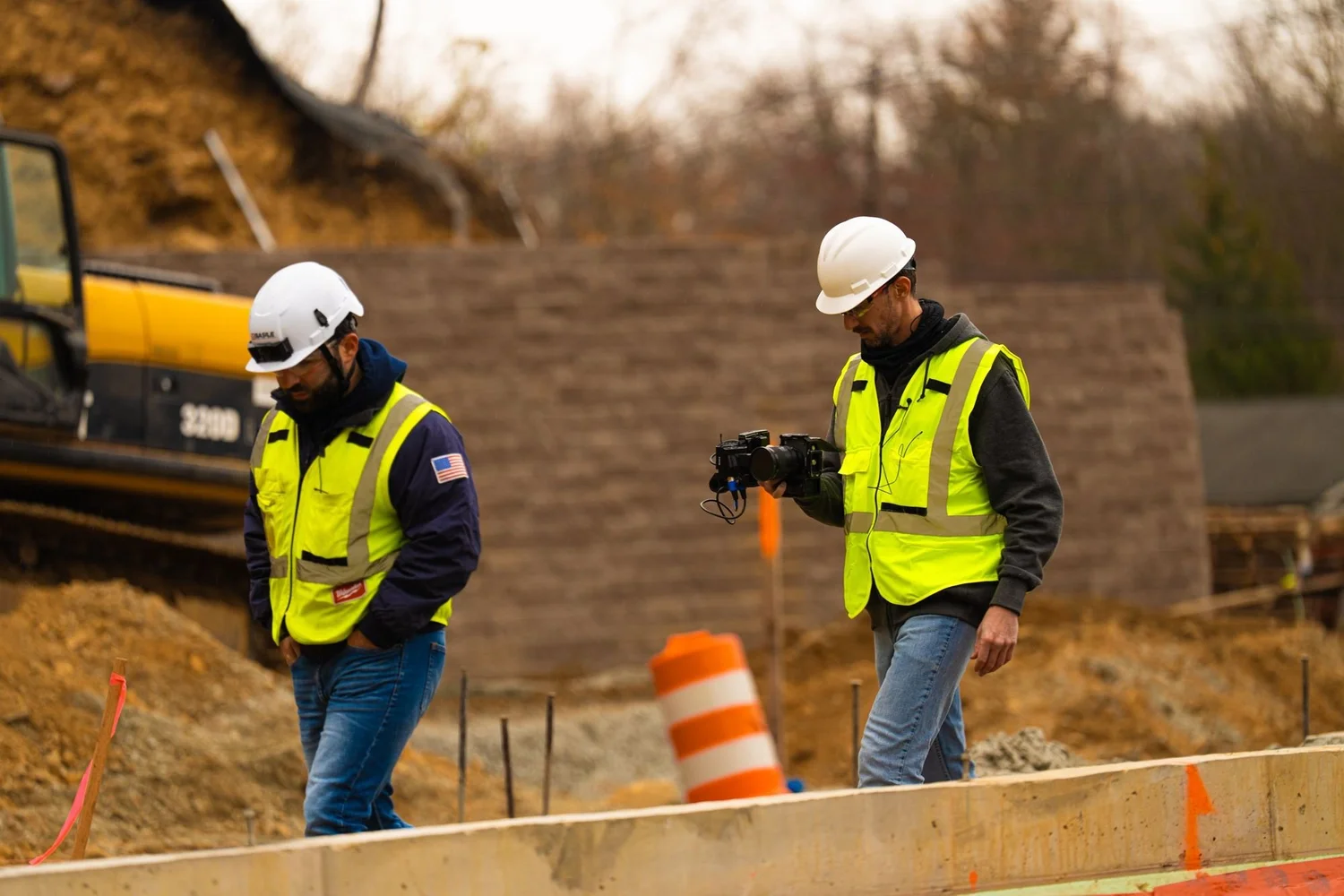
On the ground, that means:
- We sign in, sit through the safety briefing and wear whatever PPE your site requires.
- The super decides where we stand. Off-limits means off-limits.
- We stay clear of crane swing zones, load paths and the crew’s travel lanes.
- Nobody repeats a task or skips a step for a better angle. Ever.
- Interviews happen on breaks or after the shift, never in the middle of a pour.
Sean’s professionalism and setup was impressive.
Kimberly Morgan, Google review
Construction timelapse and drone: lock your angles early
Timelapse and drone are how a progress video shows time and scale. Both run on one rule: choose your positions early and repeat them all job long.
Timelapse
- Mount the camera where it won’t move all job. Ask the super where the crane, laydown yard and trailers will go first.
- Frame wider and higher than feels right. The building will grow into the frame.
- Plan for power, weather and theft. A dead battery on pour day is a gap you can’t fill later.
- Pair it with ground footage. A construction timelapse shows the shape of the job; the handheld shots show who built it.
Drone
On the first visit, save a few repeatable positions: a corner orbit, a straight-down top shot, a reveal from the road. Fly the same ones every month, stack them in the edit, and the building rises in seconds.
I’m an FAA Part 107 certified drone pilot, and airspace can change from one site to the next, especially near airports. Check every site on the FAA’s UAS Facility Maps, which show the maximum altitudes the FAA may authorize but don’t authorize anything themselves, and request authorization through LAANC where it’s required.
Flying over your crew has its own rules. Part 107 only allows flights over people who are directly participating in the operation, under cover or inside a stationary vehicle, unless the flight qualifies under the FAA’s operations over people categories. Our guide to construction drone video in New Jersey goes deeper on rules and airspace. This isn’t legal advice; the FAA’s rules are the final word.
How the footage becomes a 90-second Project Recap
At close-out, the best of every month gets cut into a Project Recap of up to 90 seconds. That ceiling is on purpose: long enough to show the whole arc, short enough that an owner watches to the end. Here’s how we build a project recap video:
- Open on the finished building from the air. Hook first.
- Snap back to the cleared site, so the viewer knows how far it came.
- Move through the phases fast. Drone matches and timelapse do the heavy lifting.
- Put faces on it: the super, the foremen, the crew. A line or two of interview if it earns the spot.
- Land on the finish, the ribbon-cutting and your logo.
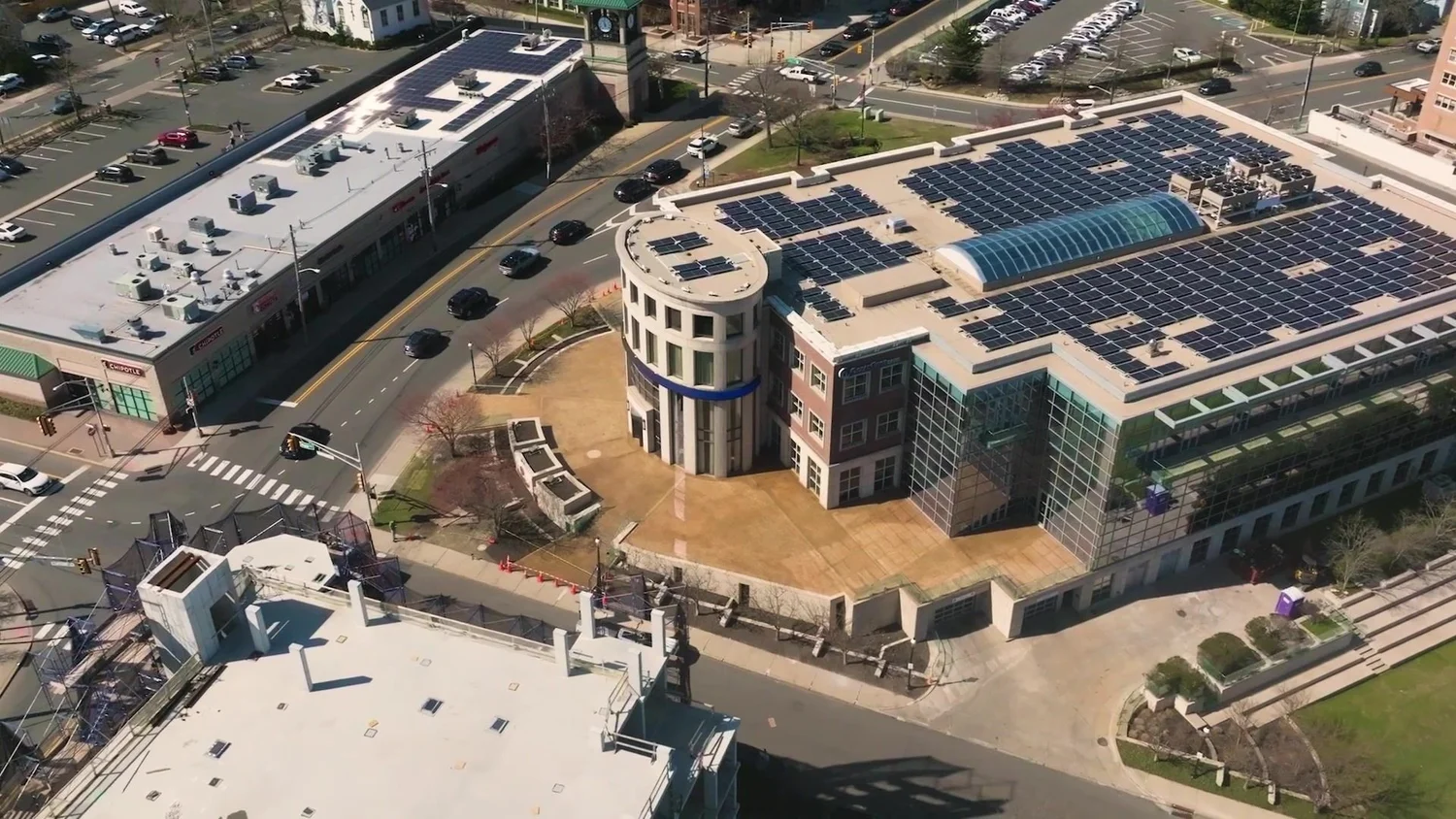
Every construction video we make comes with captions, licensed music and drone, so the recap works with the sound off in a proposal or a feed. We also cut vertical versions for phones, and for good reason: vertical 1080x1920 uploads were up 24% (Wistia, 2026).
The Project Recap we made for TG Basile, a masonry, concrete and restoration contractor, is a good look at the format. Once it’s finished, a construction project video like that becomes a bid tool; here’s how contractors use construction marketing videos to win bids. To have it handled from groundbreaking on, see our construction and development video services.
Construction progress video FAQ
How often should you film construction progress?
Once a month per active site is a solid baseline, plus extra shoots for milestones that only happen once: groundbreaking, major pours, topping out and the ribbon-cutting. The monthly visit keeps the timeline continuous, and the milestone days catch what you can’t restage. If you’re running several active sites, two or four shoots a month keeps every job covered.
How long should a construction progress video be?
For a finished project, up to 90 seconds. That’s the ceiling we cut our Project Recaps to: long enough to show the whole build, short enough to hold an owner to the end. Monthly highlights and social clips run about 30 seconds, with vertical versions for phones.
How much does a construction progress video cost?
It depends on scope: how many sites, how many shoots a month, how long the job runs and what you need cut from the footage. The fastest way to a real number is to tell us about the project. I reply within one business day and put together a clear quote built around the job.
Can construction progress videos help in a dispute?
They can add to your records. Dated footage of conditions at each phase, especially work that gets buried like foundations and in-wall MEP, gives your team another reference point when memories differ. It doesn’t replace daily logs, photos or contract documents, and whether it helps in a specific claim is a question for your attorney. This isn’t legal advice.
What’s the difference between a construction timelapse and a progress video?
A construction timelapse is one fixed camera compressing months into seconds. A progress video is an edit that mixes timelapse, drone, ground footage of the crew and short interviews to show what happened and who did it. The timelapse is an ingredient; the progress video is the meal.